
Just finished 2 new worksheets inspired by Minecraft, happy to share.
Oblique Steve Isometric Creeper
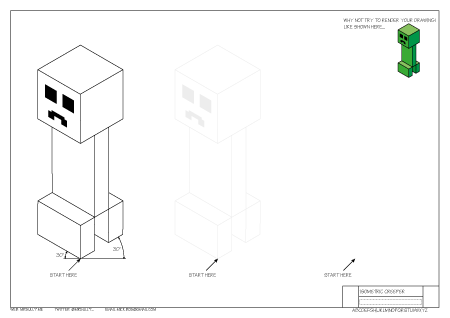
Just finished 2 new worksheets inspired by Minecraft, happy to share.
Oblique Steve Isometric Creeper
Another long delayed post, there’s just so much going on that I’ve neglected this blog. So today I thought I’d post some worksheets I’ve just created for a beginning Graphics Technology class. These are the first few completed and I’m pretty happy with my workflow at the moment, so if I don’t get sidetracked I will continue to post them as I go.
Remember, I’d be more than happy to collaborate if you have any ideas. Recently I’ve been considering a unit on designing card games like Pokémon or Magic the Gathering as my son has hit that age and I find the whole thing quite interesting. My initial research leads me to the conclusion there’s much more to these games and many people take them very seriously. My only problem is… I’m having trouble understanding the actual game, maybe I’m too old. A student did ask me if I had ‘Old Timers’ disease today.
Please feel free to download and share these worksheets.
Worksheet 1 Worksheet 2 Worksheet 3 Worksheet 4

I’ve recently started to get interested in self contained units of work delivered by interactive PDFs. Here’s the design a Postage Stamp unit for my graphics class with a new tutorial which is shorter and clearer. Click on the Stamp below to download it. The pencil on page one controls the marking tools on page 7-8, you click the tip to show them and the eraser to hide them. Not that it’s a great concern if students figure this out, I’ll still mark it even if they have already self assessed. I mostly wanted to experiment with the possibilities of using layers in a PDF document. If anyone knows how to add security or permissions to individual layers I’d love to hear from you.
This document is full of my own self promotional rubbish (just delete it) sorry, if you would like access to the original InDesign documents just drop me a line and I’ll package it up and stick it in my Dropbox for you.

Click on the Tony Abbott stamp to download the Interactive PDF (55mb)
Due to demand a series of Australian Politician stamps is included here for your enjoyment…
At my school, like many others we have a unit of work in Year 7 Technology Mandatory on Game Design. We’ve dabbled with Microsofts free Kodu (maybe Project Spark in the future) but mostly we have been using an older version of YoYo Games Gamemaker, you can grab a legacy version for free from this site.
The kids really engage with Video Game Design as it’s such a strong influence on their generation. One of the areas that create some disengagement for some students can be with the creative side, making good looking assets (graphics). Well a company called Tiny Speck has just released the assets from their now defunct game called Glitch into the public domain, meaning anyone can play around with their professionally crafted designs. For me it means that I can grab the spritesheets and let kids loose, seeing what they can come up with.
This is just a follow up to an earlier post about a competition my Graphics Technology class became involved in towards the end of last year.
I’ve recently received an promotional email regarding the V8 Supercar skinning challenge that my Graphics class were involved in. I’m not sure if the quote of mine below was a direct quote, oh well, now I know how politicians feel.
A joint project between the V8 Supercars Students on Track program, Brad Jones Racing and the NSW Department of Education and Communities Rural and Distance Education has piloted providing the real world application for Adobe Photoshop and Illustrator in schools. Sixty students from Mudgee, Coonabarabran, and Monaro High Schools have been inspired to master Adobe Photoshop and Illustrator design programs applying their skills to an authentic industry application.
Brad Jones Racing, based in Albury NSW, generously opened its doors and supplied their race car design templates and sponsors’ logos for the project. Led by Brad Jones Racing’s graphic designer Brad Norman “Mr Stickers” and Kim Ireland from Rural and Distance Education the students were taught to successfully design race car liveries “in the round” through a series of video conferences and in school class work.
Mudgee High School teacher Mick O’Sullivan said that “This project inspired students to really learn Photoshop and Illustrator. It’s been a fantastic opportunity. Our students were rewarded with an excursion to the V8 Supercars Telstra 500 in Sydney.”
“The pilot has been a great success” says David Foley Manager of the NSW DEC Rural and Distance Education Technology Unit. “Now we want to extend the same opportunity to many more students in 2013.”
I made a tutorial a couple of years ago for a IST/Graphics. Students took a picture of their own car and then ‘Pixarfied’ them turning them into something from the animated kids flick Cars. I haven’t used it for a few years, however, as I clean through old hard drives and organise work I came across the handout. I’ve made a couple of modifications and the grid at the end was an early attempt at ‘gamification’ which never stuck. Students feel free to use it and Photoshop (it’s on your laptops!) for fun or practice. Teachers feel free to download it and use it with your classes.

Download the tutorial Carscar PDF
Download some high quality Cars desktop wallpapers to use
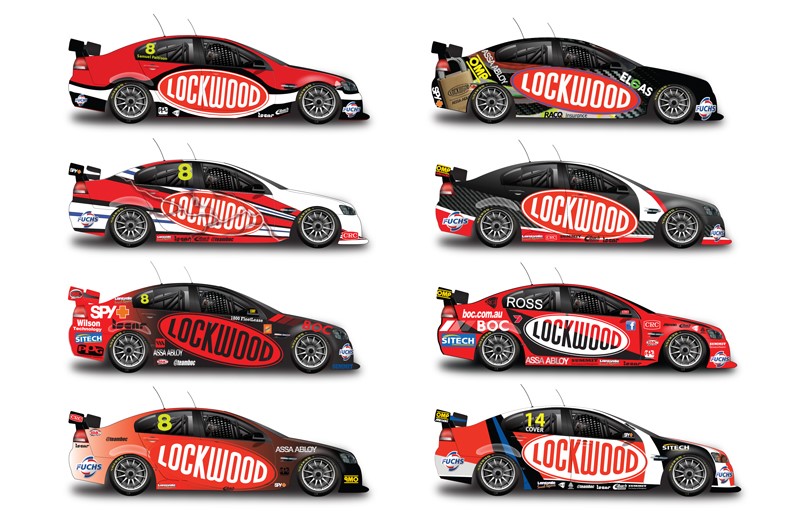
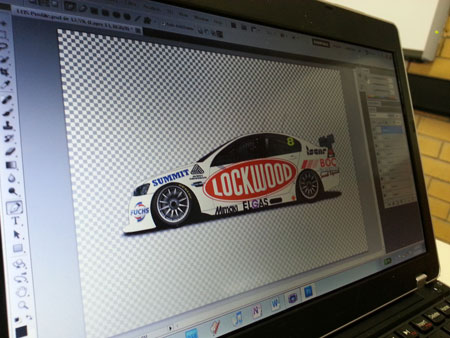
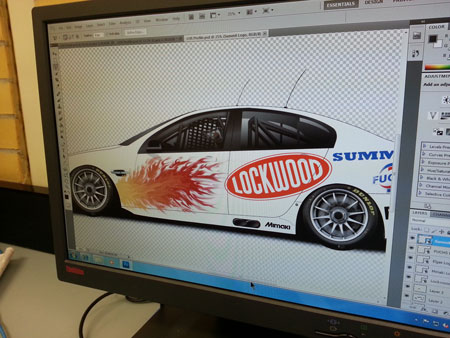
Mudgee High Schools Graphics students are currently involved in a competition to design the livery(skin) of the Brad Jones Lockwood V8 Supercar. Things are going well below are a few examples of student work.


 Mr Sully's Blog