Posted in Uncategorized

MineCraft EDU anti-grief world for teachers

OK over the last couple of years I’ve occasionally used Minecraft Education in the classroom to varying success. Sometimes it works, sometimes it falls in a big fat steaming heap and makes me hate life. I tend to keep it simple, with a build challenge… who can build the best tower? who can build a bridge? build a school!

So what I built was a simple flat creative world with 24 plots of land feel free to make more, although I think 30 concurrent players is the max. You collect your students usernames (I do this via a google form) and change the simple in-game code so each plot is only accessible by that student to prevent them destroying each others builds, sometimes I give a team access to work together. There is also a structure block on each plot that students can use to export their build as a 3D file which can be used with a 3D printer or perhaps in a Blender animation (which is how I mostly use it in my animation class).

There are lots of uses. Be warned though, students found a loophole in my first attempt to secure their areas. I quickly solved that one and prevented further bloodshed, however, recently they started using Ender Pearls to teleport into areas and be a menace.

To prevent this I made another command block with a /kill all ender pearls command, but this only works when you are near enough to activate that command. Then there are other ways of dealing with anti-social students, you can imprison them in game as a time out until they change their ways but it can quickly become a negative experience for everyone.

Use these files as you please, I’ve included an empty world, a sample of some student work and a PowerPoint which explains how to use it and change the code to suit. It should be pretty simple.

Download the files (including instructions)

Posted in Uncategorized

STEM in practice poster

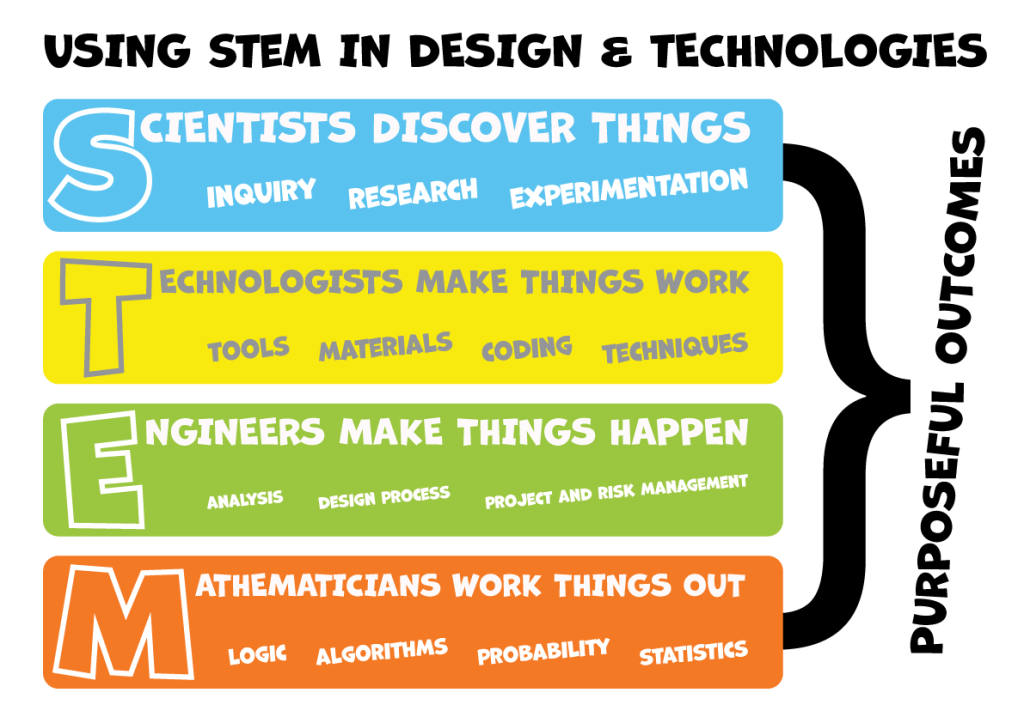
A kind colleague posted the content of this online last year, which I thank him for. I wanted to use the idea as a poster for my room so I’ve made it into a simple A3 PDF. Please share this freely and contact me if you have any ideas or changes that may make this better.

STEM in design and technologies poster

Click here to download an A3 PDF for your classroom.

Posted in 3D Printing, cars, Design, OnShape, STEM

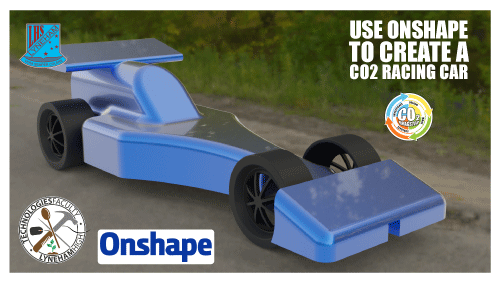
CO2 car design using Onshape

Are you in the process of having students either building a CO2 race car, getting their head around using CAD or both. Well I have you covered with this simple step by step guide to create this little beauty. Simple instructions that have been used from year 7 to year 10. Here is a PDF document that shows the process to design a CO2 racecar using Onshape. Share your results.

Download the PDF here…

Posted in Design Assets, Infographic, Posters

Couldn’t find it, so I made it and you can have it!

This year I got another new (old!) classroom to teach my year 8’s a course called Systems and Design and with some colleagues we also started a Code Club once a week. Well the walls in this room are a bit bare and could do with some colour. I wanted to put posters up that promoted our new Makey Makey’s and encouraged kids to come to Code Club. Well to get to the point I could not find any Makey Makey graphics that suited my needs so I knocked one up in good old Illustrator. Here are the files if you want them, have fun, make nerdy geeky cool posters for your walls, or worksheets for your class. Feel free to link any cool work below in the comments.

Download the file here .PNG .EPS .SVG .AI

Example: Here’s a poster using the image I made.

Posted in Safety, Signs

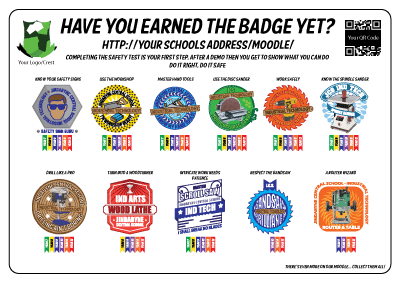
Digital Badges for Safety Tests

Getting ready for 2016? Thinking about safety tests for your students? Perhaps using digital badges to foster engagement and keep the momentum going as you plough through that dry but absolutely necessary WHS material. I created these earlier in the year for my school and thought I’d place them here for others to build on.

These badges were made using Adobe Illustrator (saved as CS4). I’ve removed my schools details and locked all the layers except for the text where you should place your own details. Feel free to download them and use them as is or unlock the layers and change them totally.

If you make any new designs and want to share, I’d love to see what you have done.

ThumbNailBadges

Above is the poster I used around the school to get students motivated for the badges. Click on it to download the ZIP file which contains all the badges and the poster and have fun.


Posted in Excel, Project Management

Project Management MDP

A quick post for any Industrial Technology students beginning their year 12 journey. I’ve just shared a modified GANTT chart Excel sheet with my own students, they will now modify it to suit their own needs and visual design. Feel free to take it and improve upon it and if you make any improvements please let me know.


2016_IND_TECH_GANTT_MDP_PLAN

Posted in Graphics, Teacher resource, Worksheet

Minecraft inspired Graphics Tech worksheets

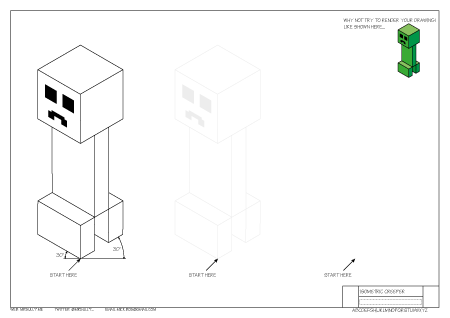
Just finished 2 new worksheets inspired by Minecraft, happy to share.

Oblique Steve     Isometric Creeper

GR06_THUMB

Posted in Graphics, Worksheet

New Graphics Worksheets

Another long delayed post, there’s just so much going on that I’ve neglected this blog. So today I thought I’d post some worksheets I’ve just created for a beginning Graphics Technology class. These are the first few completed and I’m pretty happy with my workflow at the moment, so if I don’t get sidetracked I will continue to post them as I go.

Remember, I’d be more than happy to collaborate if you have any ideas. Recently I’ve been considering a unit on designing card games like Pokémon or Magic the Gathering as my son has hit that age and I find the whole thing quite interesting. My initial research leads me to the conclusion there’s much more to these games and many people take them very seriously. My only problem is… I’m having trouble understanding the actual game, maybe I’m too old. A student did ask me if I had ‘Old Timers’ disease today.

Please feel free to download and share these worksheets.

Worksheet 1     Worksheet 2     Worksheet 3     Worksheet 4

GR03_THUMB

Posted in Design, Documentary, font, Typeface

Times New Roman… you know, the font

I love to learn more about the everyday things people take for granted. Sometimes I spend ages looking for the right font for a logo or design. But here is the ‘why’ about that boring old reliable font, Times New Roman.

Posted in Design and Technology, Video

2nd Lives – Re-imagine, Re-use and Re-cycle

Love the idea behind this Coca-Cola initiative to save on waste. I posted it on Twitter, however, I think it belongs on the blog. I’m thinking there’s a strong concept for a great Design and Technology task.